An early review of the Endgame Gear OP1 8K v2 (Raw Input Special Edition)
 Monarch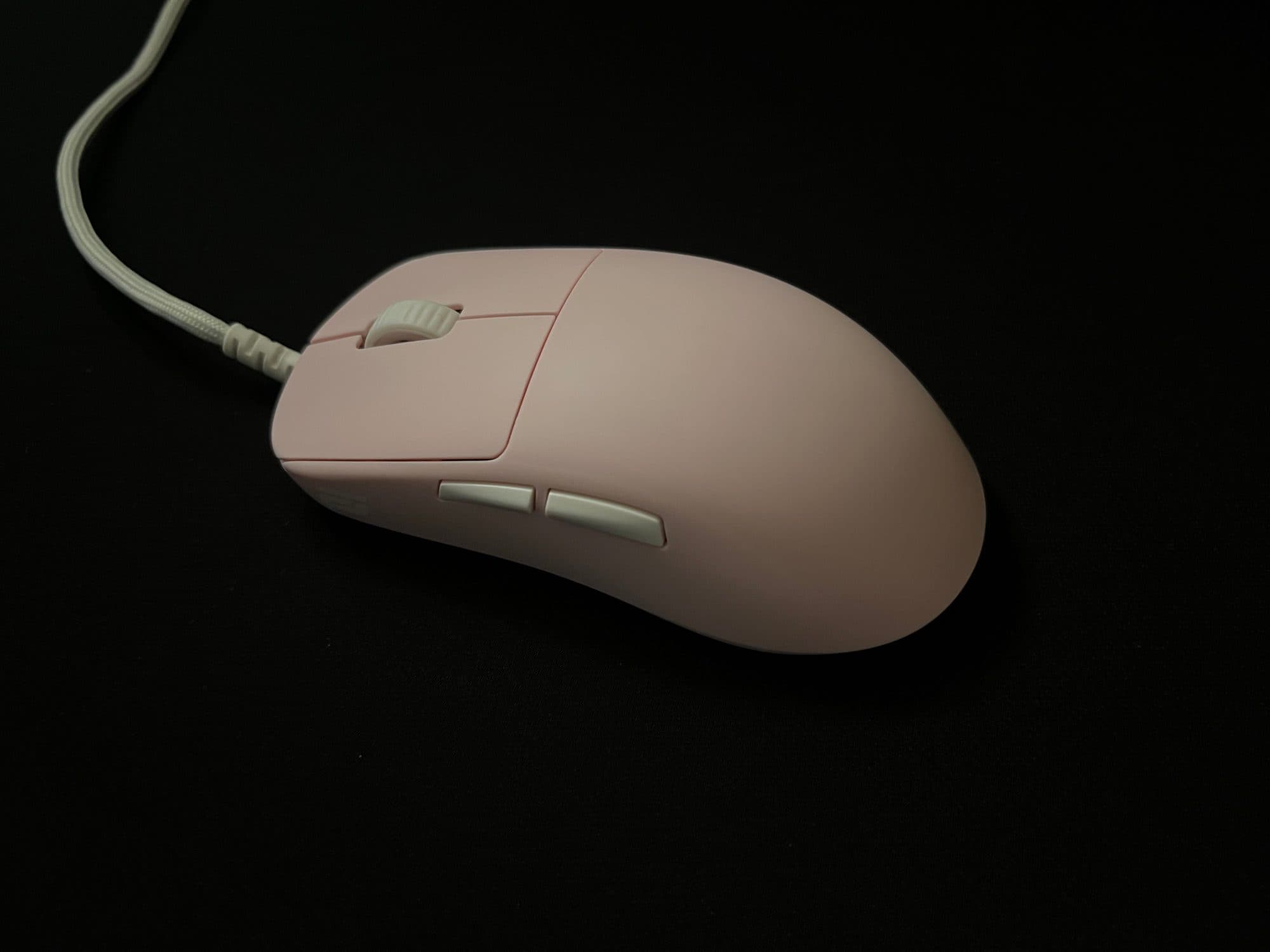
Introduction
skip to "whats in the box" if u want the actual review :p
Hi, I'm Monarch, and I got into peripherals earlier this year and into aim training pretty much just yesterday.
My hand size is around 18 x 8cm (middle finger to first wrist crease x width of the underside of knuckles, excluding thumb), and I have a relaxed claw grip (at least as far as I can tell). Occasionally, I use other grip styles, such as palm and fingertip; however, I don't use them enough in-game to consider them grip styles I use.
I've been playing FPS games for about 4-5 years, mostly with a Razer Basilisk V3 (wired). Throughout those years, the only competitive shooter I have played was Valorant, which I only played during 2021, and I managed to achieve a rank of Platinum 2 (although it was much easier to rank up back then, so I don't think it's as big of an achievement as it would be now). Since then, I have mainly played Roblox shooters, and more recently, Minecraft PvP.
I've been interested in peripherals, specifically mice and keyboards, for about 6 months. I'm not a super competitive player, nor am I extremely versed in the technicality of peripherals, which is why I believe that I might be able to provide a more accurate review of what a typical user would experience. That's not to suggest that you should trust my word entirely. It's always better to compare multiple reviews in order to see whether or not the product they are reviewing would actually fit you.
Before you judge the rest of this review purely on what I play, I'd like to say I have relatively decent aim. Of course, that idea is based on who I've played against, and the average skill level in Roblox shooters is obviously quite a bit lower than the average skill level in games like Valorant, CS2, Overwatch, etc., so take that with a grain of salt. However, I do play against pretty skilled players. In my defense, I currently play on a MacBook, so I wouldn't be able to expand into those games even if I wanted to.
Here's my peripheral history, which may help you understand my perspective a little better:
- ~2021 – 2022 — MSI Laptop (unsure which; it had integrated graphics), Razer Basilisk V3, some random cheap cloth pad
- ~2022 – 2025 — 2020 M1 13" MacBook Air, Razer Basilisk V3, some random cheap plastic pad
- ~2025 – first half of 2026 — 2025 M4 13" MacBook Air, Razer Basilisk V3, some random cheap plastic pad, some 4K 60hz ViewSonic monitor (very occasionally)
- Current — 2025 M4 13" MacBook Air (peripherals listed in profile)
Rating
Generally, I'll rate things based on how they suit me, so obviously, the conclusion of my reviews isn't going to suit everyone, but hopefully it'll still be able to help someone.
5 stars:
- Absolute best fit for me
- Has one or zero downsides
- There is nothing that could better fit me in a reasonable price range
4.5 stars:
- An excellent fit
- Has more than one downside
- There is something better/something that can compare to it in a similar or lower price range
- I am unsure of whether or not something else can better fit its purpose
4 stars:
- A great fit
- Has multiple downsides
- There are things that are better
- I am pretty sure that there are other things better suited for its use case
Anything below that generally means that my first impression of it was pretty bad, and it was likely returned.
What comes in the box
- OP1 8K v2 (Raw Input Special Edition)
- Two skate sets (half-size applied, full-size in accessory bag)
- Grip tape (only for the sides, not the main buttons)
- Cable tie
- Screwdriver
- Universal Switch Pack (2x switch PCBs, 7x switch pairs)
Specifications
- Weight: 49.5 grams
- Dimensions: ~118.2 x 60.5 x 37.2mm
- Stock Skates: Heat-Treated 100% PTFE
- Microcontroller: NUVOTON M483
- Sensor: PixArt PAW3950
- DPI: up to 26,000 (steps of 50)
- Polling Rate: 1,000–8,000hz (steps of 1,000)
- Main Switches: Kailh GX
- Main Switch Lifetime: 80 million actuations
- Side Switches: Kailh GM 2.0
- Side Switch Lifetime: 20 million actuations
- Wheel Encoder: Kailh Dustproof
- Middle Mouse Switch: Kailh GM 2.0
- Middle Mouse Switch Lifetime: 20 million actuations
Buttons
Main Mouse Buttons
Pre and Post Travel: Compared to the other mice I have, the OP1 seems to have a very minimal amount of pre and post travel, due to the fact that the switches are mounted on the button panels (? not sure what they're called) themselves rather than on the mouse body. This makes it so that the mains switches remain in contact with the button panels as much as possible, so there is very little pre and post travel. Even compared to my Angry Miao AM Infinity, which I would say already has a very little amount of travel.
(Pre and Post Travel is tested by pressing down on the main button panels without actuating the switch)
Switches: The OP1 comes with Kailh GX switches pre-installed. However, the Raw Input Special Edition comes with Endgame Gear's Universal Switch Pack, which allows for more customisation out-of-the-box. Below is a comparison chart for the switches in the Universal Switch Pack.

Kailh GX: The Kailh GX switches have a translucent brown housing. As detailed in the chart above, they are very spammable, and have a light actuation force. They are relatively quiet and high-pitched (in comparison to the ATK Zero), they are GX Speed and Safe compatible and they have a lifetime of 80 million actuations. These switches will be used as a baseline for comparison.
(Switch list updated as I test them.)
Side Mouse Buttons
The side mouse buttons of the OP1 are pretty good. Their shape makes it quite easy to actuate them even when your thumb isn't directly on the buttons. The placement is high enough so that it's not obtrusive, but it's also close enough that they're easy to reach for. There is also very little pre-travel, although it has a bit more post-travel, at least in comparison to the ATK Zero.
Middle Mouse Button + Scroll Wheel
The middle mouse button is surprisingly light and spammable, at least in terms of what I'm used to. As for the scroll wheel, it's quite heavy compared to the Zero and the Infinity. It's also incredibly tactile and a little loud, although if you're wearing IEMs or closed-back headphones, the sound is unlikely to disturb you (not sure about open-back headphones though, never had one of those).
Shape
This shape was designed around claw grip, although you can use it in fingertip grip as well, as it's quite a small mouse. Not sure if this is just because I've been more used to mice with more flat sides, but the back flare of the OP1 feels a little off, and kind of forces my hand to sit a little further back on the mouse. However, unlike shapes like the Razer Viper, the sides — past the curve of the back flare — are straight (not sure what this means, but it feels good I guess?). Although there are many people that enjoy the shape of the OP1, I still prefer the shape of the Zero, which I believe is derived from the Pulsar X2. However, the higher hump of the OP1's shape provides a bit more palm support, which I do prefer, although it is also narrower than the X2 shape, which makes it feel slightly uncomfortablefor me to use.
Coating
So far in my very limited testing of mice, the coating on the OP1 has been my favourite. Unlike the magnesium of the Infinity, it's quite a bit more grippy. In comparison to the Zero, the coating is far superior. It feels a little like rubber almost and it doesn't retain any visible skin oil/sweat residue. Overall, even if you have pretty sweaty hands — which I do — the material does not get slippy at all. Personally, I'm not one to care about how grippy the coating of a mouse is, as in my experience, I seem to play just fine.